Qpermits
Every permit. Every obligation. One platform.
Published tariff tables, traceable payments, and source-grounded AI guidance — alongside the records and deadlines your team manages every day.
Interactive demo with fictional data. Records and uploaded proofs stay in this browser; production accounts and private online storage are not yet enabled.
Inside Qpermits
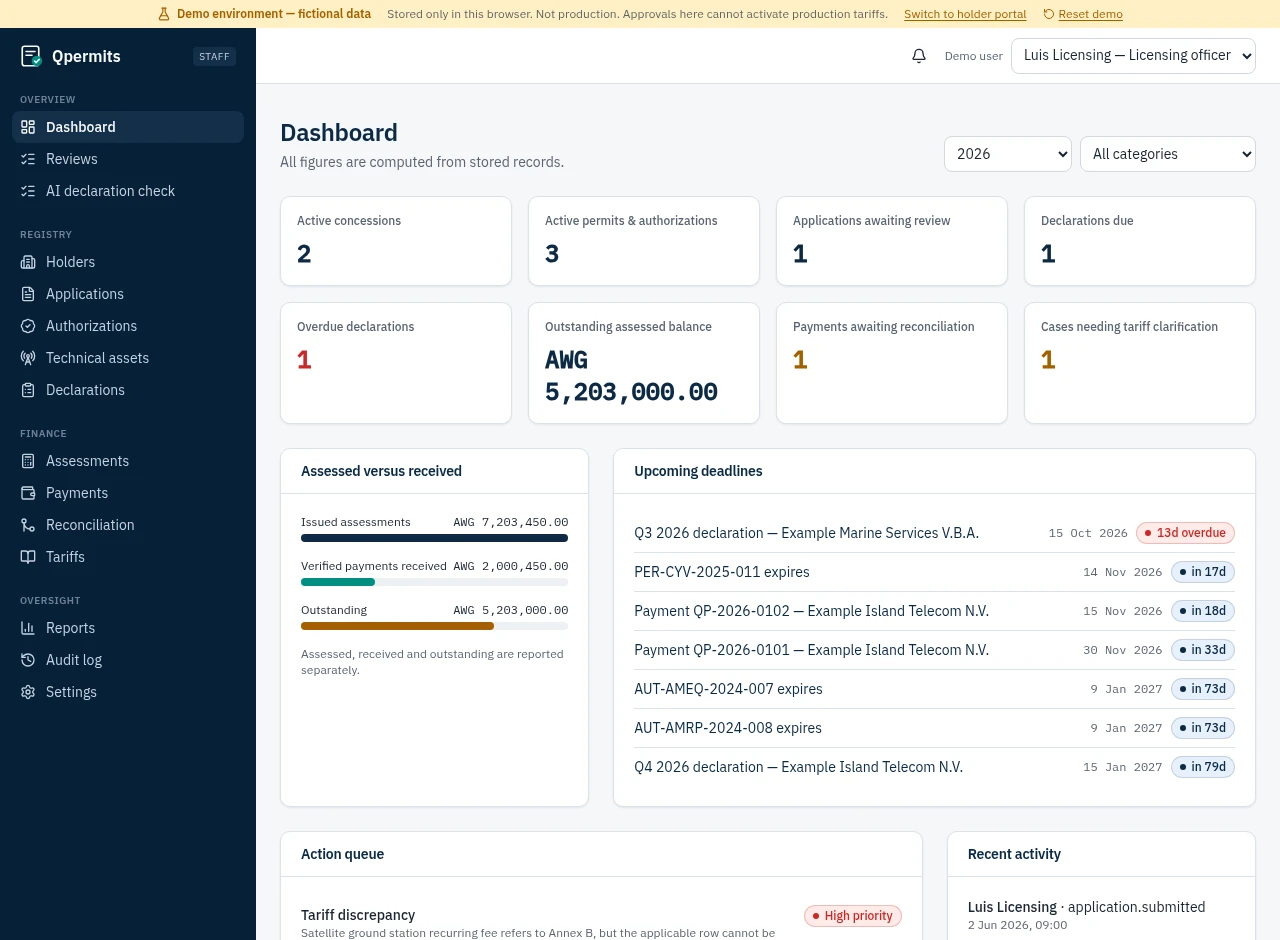
One view of what needs attention
Capabilities
Built for the full administrative lifecycle
A complete view of every holder
Manage organizations, representatives, concessions, permits, and supporting documents in one place.
Clear obligations and deadlines
Track declarations, payment deadlines, and upcoming expirations.
Explainable fee calculations
Use published Annex A/B amounts from AB 2003 no. 83, with source references, frozen assessment snapshots, and unresolved cases kept visible.
Payments connected to permits
Reconcile payments and verify required fees before concession issuance.
A portal for permit holders
Let holders submit declarations, view assessments and balances, and upload proof of payment in the browser-only demo.
A source-grounded permit advisor
Holders can ask questions answered only from the tariff PDF and dated DTZ website sources, with citations. One conversation per holder, saved in this browser.
AI-assisted declaration checks
Staff can enter declaration details to flag possible inconsistencies and suggest follow-up questions. AI suggestions never change records or fees.
Payment evidence beside the payment
Review each holder’s uploaded proof alongside its related payment. Reviewing a file does not verify the payment.
An accountable administrative process
Maintain role-based access, review steps, and a traceable history of changes.
Latest additions
Published sources. Evidence. Advisory AI.
Actual screens from the demo. Official source material does not imply DTZ endorsement or approval of Qpermits.
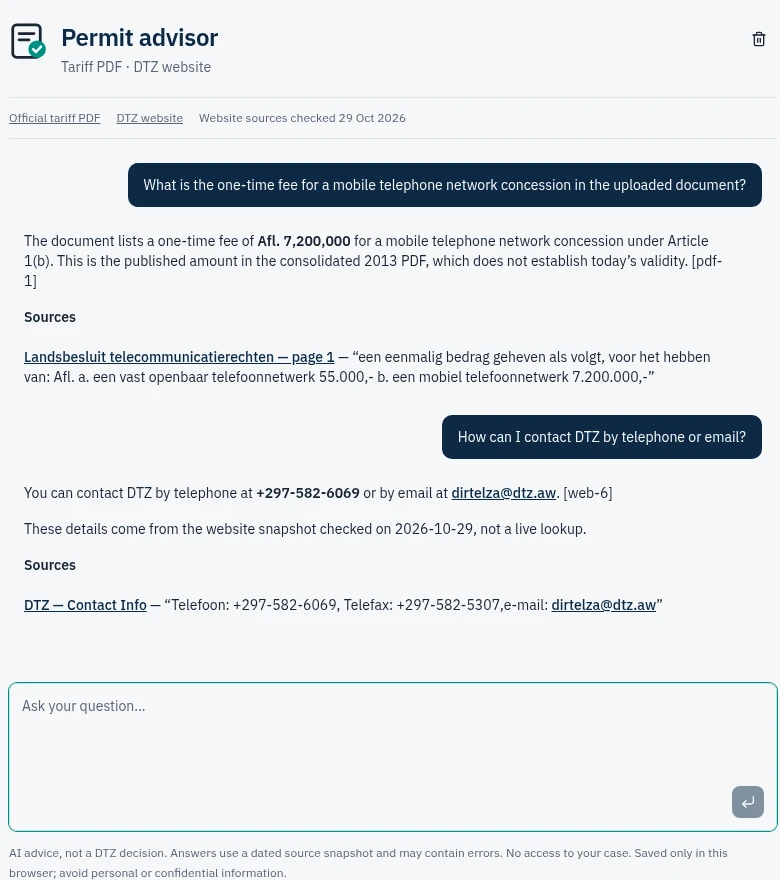
Permit holder advisor
Cited answers from the tariff PDF and dated DTZ website sources. Unsupported questions are declined; conversations stay in this browser.
Ask the advisor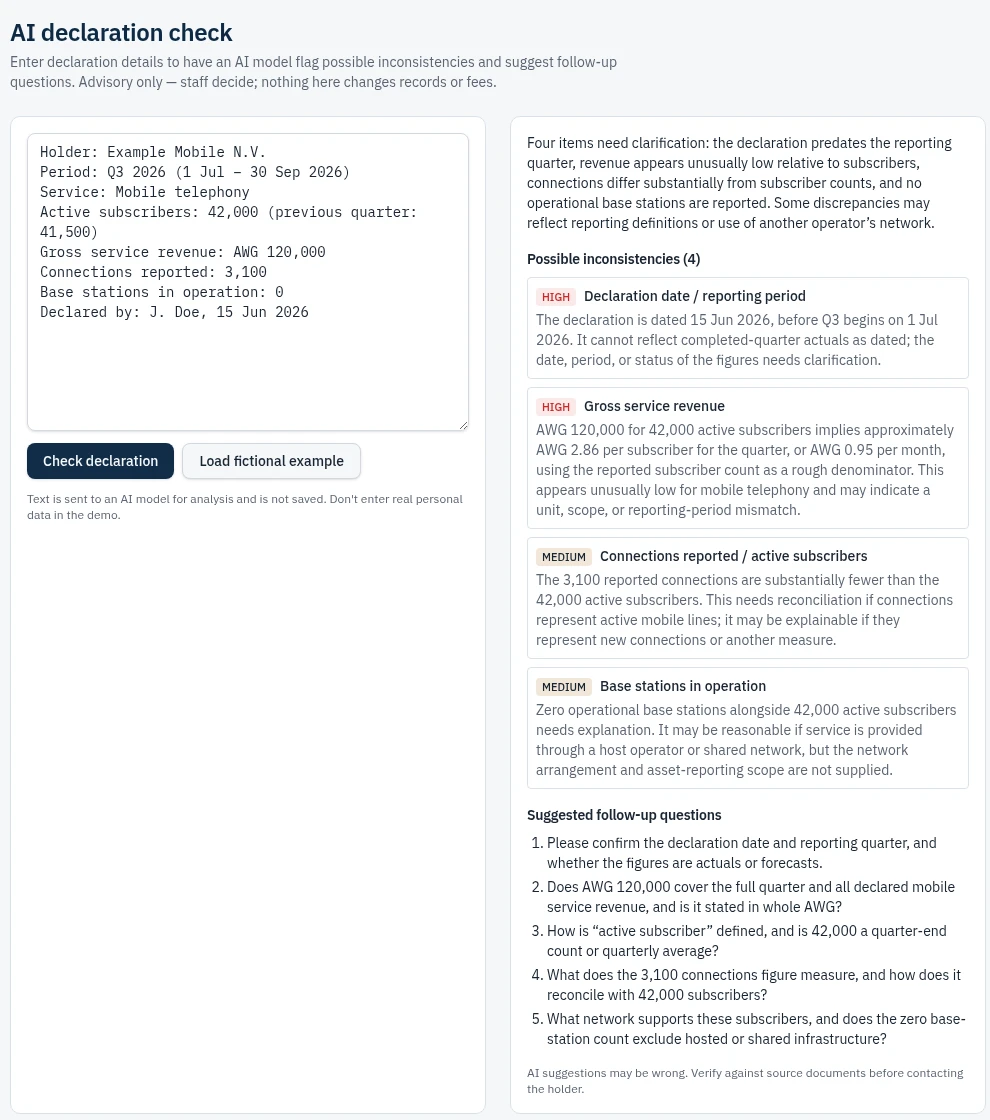
AI declaration check
Possible inconsistencies and suggested follow-up questions, with staff retaining every decision. Analysis is advisory, not a regulatory determination.
Explore declaration checks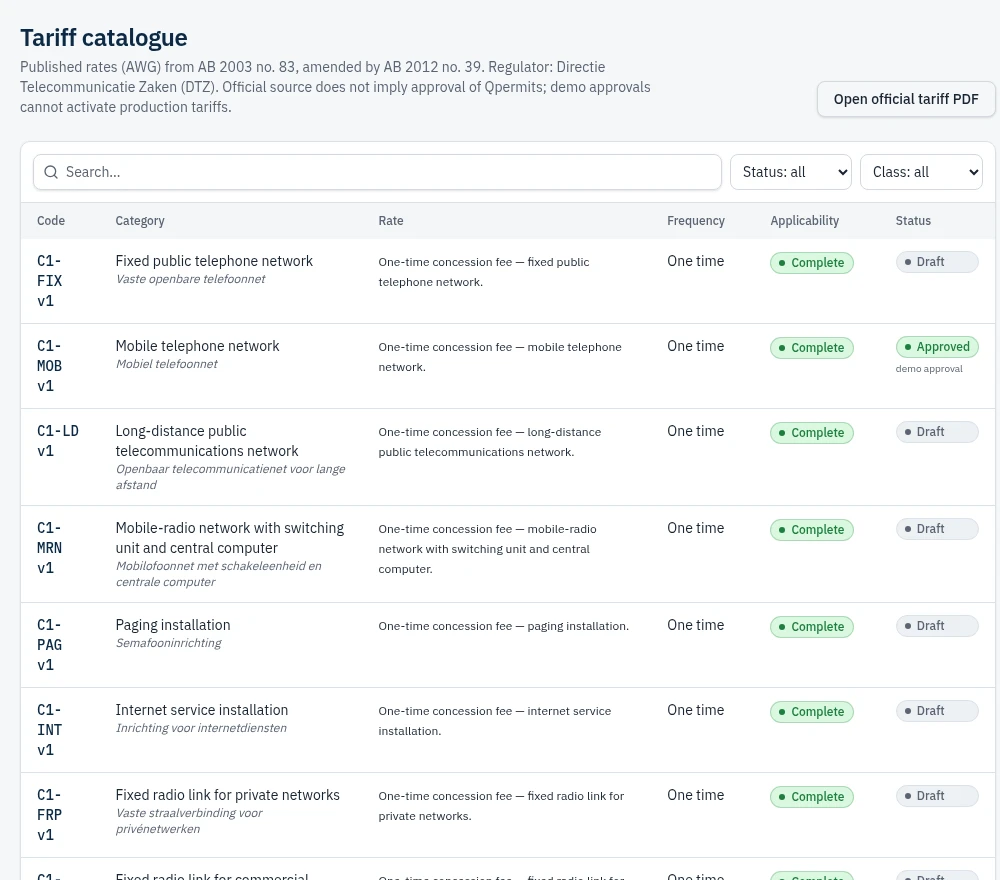
Official tariff source catalogue
Published Annex A/B rows with page references and preserved assessment history. Missing or conflicting amounts remain unresolved.
Browse tariff sources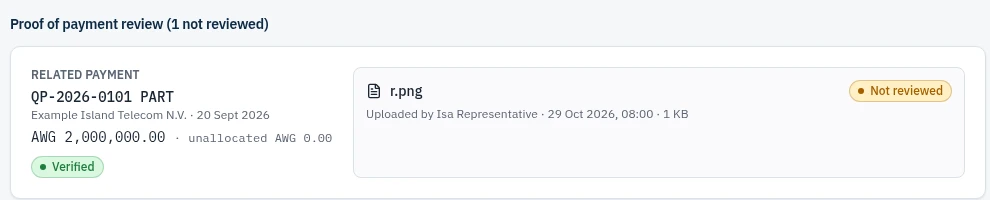
Proof-of-payment review
Holder-uploaded files linked to their related payments. Reviewing evidence never verifies a payment automatically. Demo files remain in this browser.
Explore reconciliationHow it works
Four steps, one record
- 1
Register the holder and authorization
Record the organization, its representatives, and the concession or permit being requested.
- 2
Capture technical details and reporting obligations
Link networks, stations, radio links and equipment with explicit units and effective dates.
- 3
Review fees and reconcile payments
Calculate fees from approved tariff versions and match verified payments to assessments.
- 4
Issue, monitor, and maintain records
Issue once requirements are met, then track declarations, renewals and changes over time.
For regulatory teams
- Registry of holders, authorizations and technical assets
- Explainable assessments from versioned, approved tariffs
- Payment reconciliation and issuance controls
- AI declaration checks with suggested follow-up questions
- Review queue, reports and a complete audit trail
For concession and permit holders
- See every authorization and obligation in one place
- Submit quarterly declarations in the demo
- View assessments, payment notices and balances
- Upload proof of payment for staff review
- Ask the PDF/DTZ-only advisor with cited answers
FAQ
Questions, answered
Bring clarity to permit administration.
Tell us about your team and the authorizations you manage. We'll follow up to arrange a walkthrough.
Or explore the demo now